OJS (Open Journal Systems) is free, open source software from the Public Knowledge Project (PKP) for managing and publishing scholarly journals online. It receives submissions, organizes peer review, copyediting and production, and publishes issues with metadata that Google Scholar, DOAJ, Crossref and other services can harvest. Downloading it is free; running it well (server, upgrades, backups, email and security) is what decides whether the journal works.
This guide explains what OJS does, how its editorial workflow runs and what a journal or university needs to operate it without surprises.
What OJS is for
PKP describes OJS as "an open source solution to managing and publishing scholarly journals online."1 In practice, it replaces the chain of emails, spreadsheets and loose files many journals used to manage submissions: every manuscript has a record, every person a role and every decision is logged.
Three traits explain its adoption:
- One installation, one or many journals. PKP states that every OJS installation can run one or many journals.2 That is why it is common in university portals that bring several titles together on one site.
- Wide use. According to PKP, more than 44,000 journals in 148 countries publish with OJS (figure from its website, accessed 20 November 2026).2
- No per-journal licences. The software is downloaded for free and installed on your own or a contracted web server.1
How the OJS editorial workflow works
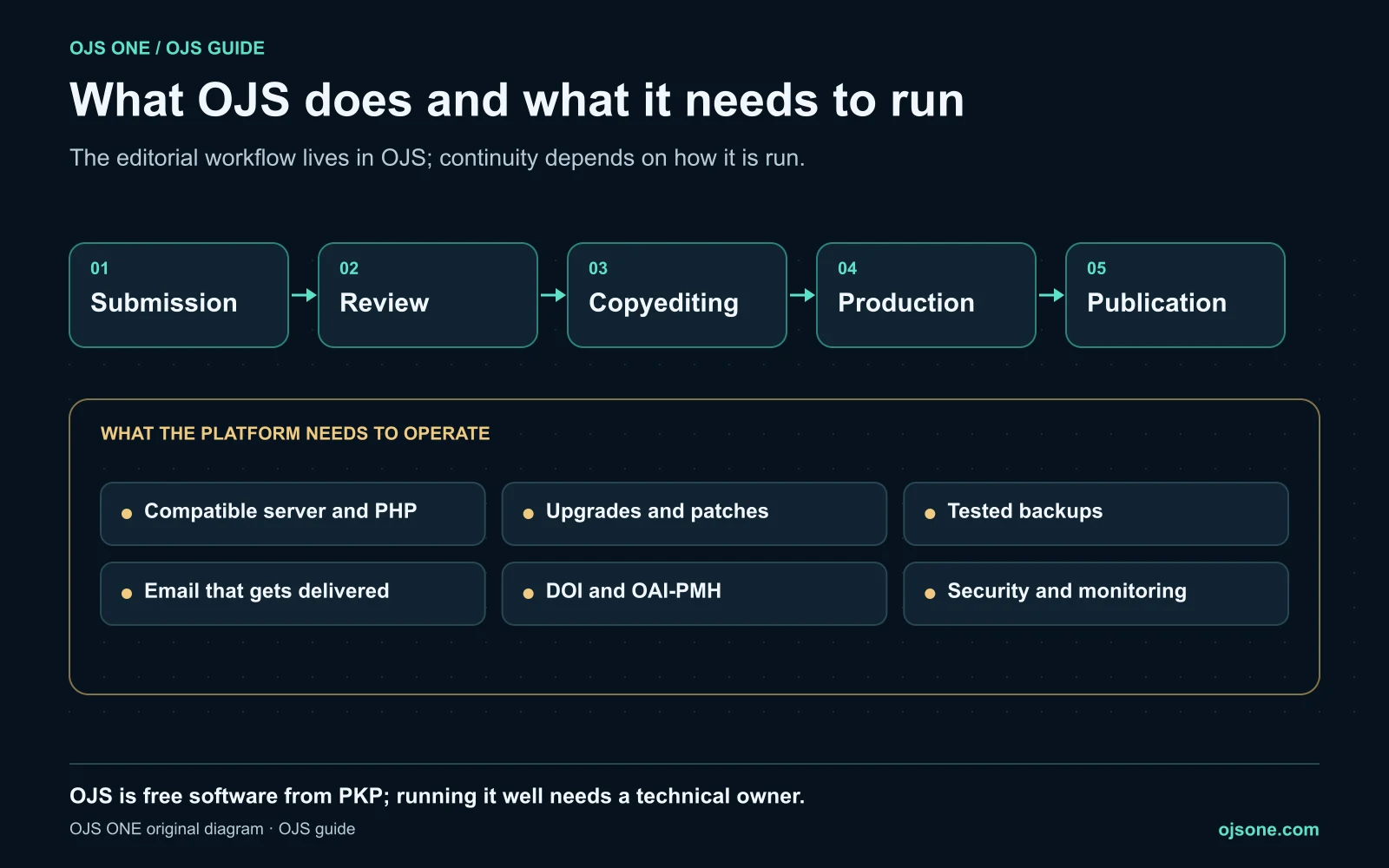
PKP's documentation for OJS 3.5 organizes editorial work in stages: submission, review, copyediting, production and publication.3
- Submission. The author uploads the manuscript, completes the metadata and adds contributors. We explain it step by step in the user manual for submitting an article in OJS.
- Review. The editorial team runs pre-review, assigns reviewers and makes decisions round by round. There are manuals for pre-review, editorial review and the reviewer role.
- Copyediting. Style editing and the author's response on the accepted text.
- Production. Galleys are prepared: PDF, HTML and, when the journal requires it, JATS XML.
- Publication. The article goes into an issue, gets its DOI if the journal uses them and becomes available with its metadata.
The workflow is the same for every journal, but each one configures it: forms, email templates, review criteria and roles. That configuration is where a trained team and one learning by trial and error differ most; ask OJS ONE about role-based OJS training.
What OJS does for your journal's visibility
PKP highlights that OJS shares metadata in machine-readable formats such as Dublin Core and OAI-PMH, and supports dissemination through Google Scholar, DOAJ, Crossref and OAI-PMH harvesters.2
That does not mean the journal gets indexed on its own. OJS exposes the data; the decision to include the journal always belongs to each index, and the data has to arrive complete. Two simple checks:
- That the OAI-PMH endpoint delivers every article, not just some. You can check it with the free OAI-PMH validator for OJS.
- That DOIs are registered and in sync. In OJS 3.5 you review that in Crossref Manager.
For the rest of the strategy (metadata, Google Scholar, DOAJ) see our guide on SEO for OJS journals.
OJS is free; running it is not
PKP is clear on this: OJS can be downloaded for free, but "running a web service requires a systems administrator who knows how to deploy web applications."1 The real cost of OJS is not the licence but keeping it running:
- Compatible server and PHP. OJS 3.5 requires at least PHP 8.2.4 A server that is never updated leaves the journal stuck on old versions.
- Upgrades and patches. Only supported versions get fixes; today those are 3.3, 3.4 and 3.5.5
- Tested backups. A copy that has never been restored is not a proven backup. Details in off-site backup and OJS security.
- Email that gets delivered. If reviewer invitations land in spam, the workflow stops. See transactional email for OJS.
- Working DOIs and OAI-PMH. They determine whether the journal can be found.
- Security. A neglected installation ends up hosting spam or webshells. We cover it in the OJS security guide.
There are three ways to cover all of this: your own technical team, generic hosting where the journal looks after OJS itself, or a specialized service that runs the whole platform. If your institution has no administrator dedicated to OJS, OJS ONE's managed OJS plans include hosting, upgrades with tested backups, editorial email that gets delivered, monitoring and support on defined timelines.
Which OJS version to use today
According to PKP's release table, accessed 20 November 2026, OJS 3.5 is the current LTS release, supported until the second quarter of 2029; OJS 3.3 and 3.4 are supported until the second quarter of 2027.5 PKP recommends using LTS versions if you are not sure which one to choose.5
A new installation should start on 3.5. If your journal already runs 3.3 or 3.4, read what's new in OJS 3.5 and who should upgrade, and then the upgrade path to 3.5 LTS.
How to get started with OJS at your institution
- Decide which journals are in and who answers for each. A journal without a clear editorial owner won't be fixed by software.
- Decide who will run the platform. Own team, generic hosting or specialized service: the decision matters more than the server.
- Accept the implementation with tests. Use the OJS implementation checklist before launching a journal.
- Train by role. Authors, reviewers, editors and managers need different training; ask OJS ONE about OJS training.
- If you already have OJS, diagnose before changing. The OJS 360 Assessment reviews metadata, DOIs, OAI-PMH, policies and infrastructure and gives you a prioritized roadmap.
Frequently asked questions
Is OJS free?
Yes. OJS is open source software and can be downloaded at no cost. What costs money is running it: server, upgrades, backups, email, security and the time of whoever administers it.
Can one OJS installation host several journals?
Yes. PKP states that each installation can run one or many journals. It is the basis of most university portals, although it requires care with permissions and roles across journals.
Does OJS automatically index my journal in DOAJ, Scopus or SciELO?
No. OJS exposes metadata through OAI-PMH and makes DOI registration easier, but each index decides which journals it includes according to its own criteria. OJS is a technical condition, not a guarantee of indexing.
What do I need to install OJS?
A web server with a compatible PHP version (OJS 3.5 requires at least PHP 8.2), a database, scheduled tasks, configured outgoing email and someone with systems administration skills. For a journal in production, also tested backups and an upgrade plan.
What is the difference between OJS and OJS ONE?
OJS is PKP's software. OJS ONE is a specialized company that runs, upgrades, secures and supports OJS platforms for journals and institutions.
Sources
- PKP, About OJS (Learning OJS). https://docs.pkp.sfu.ca/learning-ojs/about-ojs/en/ (accessed 20 November 2026).
- PKP, Open Journal Systems. https://pkp.sfu.ca/software/ojs/ (accessed 20 November 2026).
- PKP, Editorial Workflow (OJS 3.5). https://docs.pkp.sfu.ca/learning-ojs/editorial-workflow/en/ (accessed 20 November 2026).
- PKP, OJS 3.5 Release Notebook. https://docs.pkp.sfu.ca/dev/release-notebooks/en/3.5-release-notebook (accessed 20 November 2026).
- PKP, Software Releases. https://pkp.sfu.ca/software/releases/ (accessed 20 November 2026).
OJS 360 Assessment
Before applying, know exactly what is missing
We review metadata, DOIs, OAI-PMH, policies and preservation against what DOAJ, Latindex and SciELO ask for, and hand you a prioritized route with owners.
- Evidence-based diagnosis by dimension
- Prioritized route and correction plan
- Indexing decisions always belong to the index
OJS 360 Assessment
Before applying, know exactly what is missing
We review metadata, DOIs, OAI-PMH, policies and preservation against what DOAJ, Latindex and SciELO ask for, and hand you a prioritized route with owners.
Request a diagnosis