OJS 3.5 is the current long-term support (LTS) release of Open Journal Systems, supported until the second quarter of 2029 according to PKP's release table. It requires at least PHP 8.2, brings ORCID into the core, adds Crossref Manager for handling DOIs and ROR for affiliations. If your journal runs 3.3 or 3.4, both are supported until the second quarter of 2027: there is time to plan the change, not to improvise it.
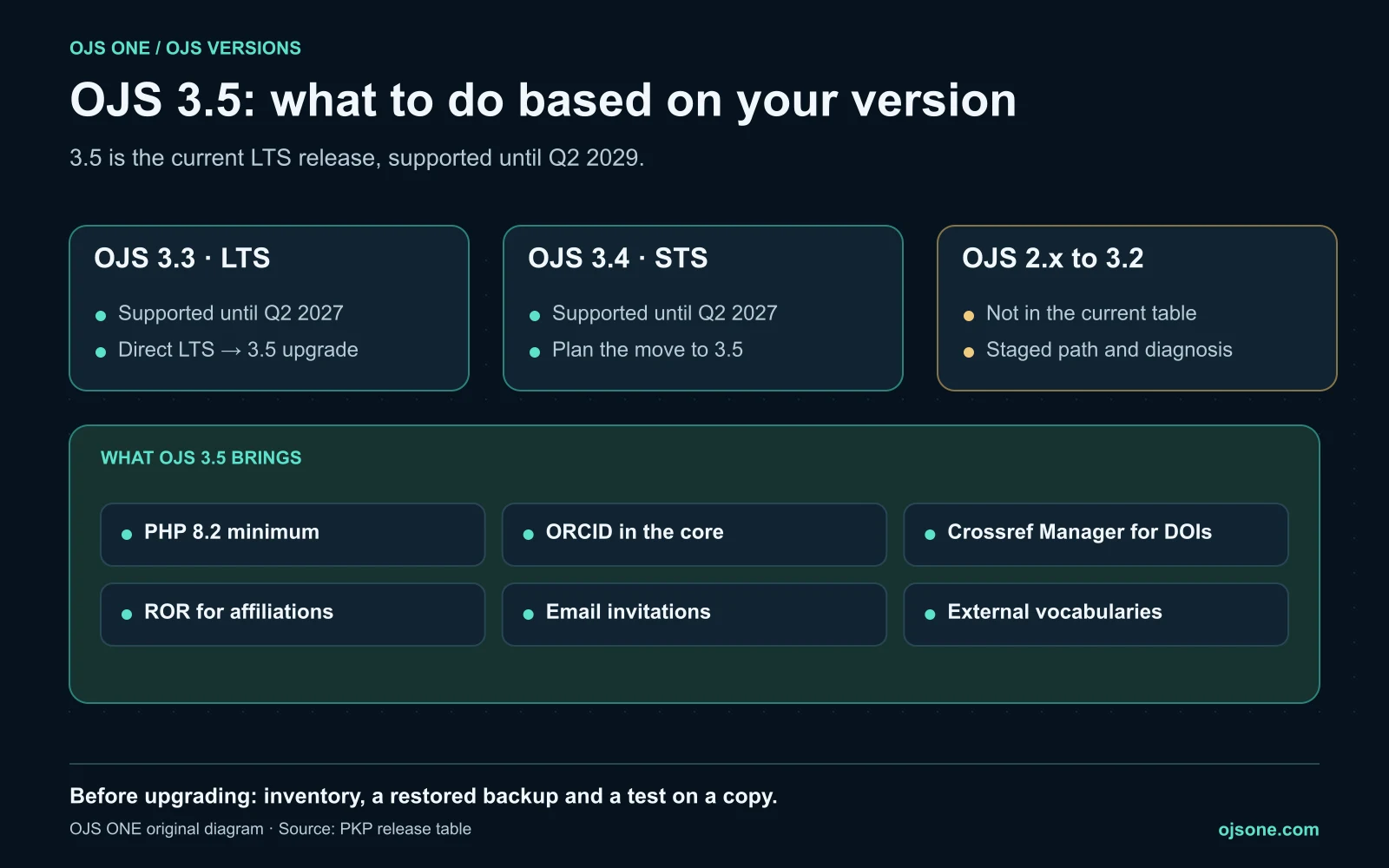
Support status of OJS 3.5, 3.4 and 3.3
PKP's release table, accessed 20 November 2026, shows the following:1
| Version | Type | Status | End of support |
|---|---|---|---|
| OJS 3.5 | LTS | Supported | Q2 2029 |
| OJS 3.4 | STS | Supported | Q2 2027 |
| OJS 3.3 | LTS | Supported | Q2 2027 |
While a version is supported, PKP releases bug fixes and security patches for it.1 Its general advice is direct: if you are not sure which version to use, use only LTS versions.1
As of the date accessed, OJS 3.6 does not appear in that table. For a journal that cannot upgrade often, the reference is 3.5.
What OJS 3.5 brings
- ORCID in the core. The ORCID integration becomes part of OJS and the
orcidProfileplugin no longer receives updates for these versions.23 What to check in your journal is in ORCID in OJS 3.5. - Crossref Manager. An interface to register, monitor and deposit DOIs and metadata to Crossref from OJS.4 We explain it in Crossref Manager in OJS 3.5.
- ROR for affiliations. Standardized institution identifiers.4 To check them in your records, see how to check ROR affiliations in Crossref.
- Email invitations, including a GDPR-compliant account creation process, and external vocabulary support.5
- Internal changes: the interface moves to Vue 3 and there is a Laravel-based task scheduler.5 You won't see them on screen, but they affect plugin and theme compatibility.
Key requirement: PHP 8.2 minimum
The official 3.5 release notebook states that OJS 3.5.0 requires at least PHP 8.2.0.5 It is a minimum, not a diagnosis: you also need to review the database, extensions, scheduled tasks, storage and the command-line PHP version. If your server runs PHP 7.x, the upgrade starts with the server, not with OJS.
Who should upgrade and when
- If you are on OJS 3.3: it is LTS and PKP allows direct upgrades between LTS versions, from 3.3 to 3.5.1 Support for 3.3 ends in the second quarter of 2027. We cover it in what to do before 3.3 and 3.4 reach end of support.
- If you are on OJS 3.4: it is STS, with the same end of support as 3.3. Plan the move to 3.5 with time to test plugins and the theme.
- If you are on OJS 3.2 or earlier, or OJS 2: the upgrade is staged, and PKP's guide warns that direct upgrades from OJS 2 are no longer supported.6 Start with a diagnosis; details in the upgrade path to OJS 3.5 LTS.
- If you are already on OJS 3.5: PKP recommends updating to the latest maintenance release.7 Being on the right branch does not mean the patches are applied.
Before upgrading: five checks
- Inventory: exact version and build, PHP, database, plugins, theme and integrations.
- Compatibility: confirm that every plugin and the theme have a 3.5 version.
- Restored backup: a complete copy of files, database and configuration, tested in a separate environment.
- Rehearsal on a copy: run the full editorial workflow (submission, review, publication, DOI and email) before touching production.
- Window and rollback: a date agreed with the journal and a clear plan to roll back if something fails.
If you are receiving a new 3.5 installation, use the OJS implementation checklist before launching a journal.
Upgrade on your own or with a specialized team
Upgrading OJS is a short project if the installation is tidy and a long one if nobody knows which plugins it has. If you'd rather not improvise, OJS ONE's managed OJS plans include upgrades with tested backups and support after the change, and the OJS 360 Assessment builds the inventory and the risk list before anyone touches the installation. To help the editorial team get the most out of 3.5, ask about role-based OJS training.
Frequently asked questions
Is OJS 3.5 an LTS release?
Yes. PKP's release table lists it as LTS, supported until the second quarter of 2029.
Which PHP version does OJS 3.5 need?
At least PHP 8.2.0, according to the official release notebook. You also need to review the database, extensions and scheduled tasks.
Can I upgrade from OJS 3.3 directly to OJS 3.5?
Yes. PKP allows direct upgrades between LTS versions, such as from 3.3 to 3.5. You should still review the 3.4 and 3.5 changes, test plugins and the theme, and rehearse on a copy.
Until when are OJS 3.3 and 3.4 supported?
Until the second quarter of 2027, according to PKP's release table accessed 20 November 2026.
Should I wait for OJS 3.6?
As of the date accessed, 3.6 does not appear in PKP's release table. For a journal that cannot upgrade often, PKP recommends LTS versions, and 3.5 is the current LTS until 2029.
Sources
- PKP, Software Releases. https://pkp.sfu.ca/software/releases/ (accessed 20 November 2026).
- PKP, orcidProfile repository. https://github.com/pkp/orcidProfile (accessed 22 October 2026).
- PKP, What's New in OJS 3.5? Explore Enhanced Features. https://pkp.sfu.ca/2025/07/16/ojs-3-5-enhanced-features/ (accessed 22 October 2026).
- PKP, Visibility, commitment, compliance and trust: how updated OJS installations help journals succeed. https://pkp.sfu.ca/2026/11/16/visibility-commitment-compliance-and-trust-how-updated-ojs-installations-help-journals-succeed/ (accessed 16 November 2026).
- PKP, OJS 3.5 Release Notebook. https://docs.pkp.sfu.ca/dev/release-notebooks/en/3.5-release-notebook (accessed 20 November 2026).
- PKP, Upgrade Guide. https://docs.pkp.sfu.ca/dev/upgrade-guide/en (accessed 18 October 2026).
- PKP, Keeping your OJS installation secure. https://pkp.sfu.ca/2025/10/15/keep-your-ojs-installation-secure-with-updates/ (accessed 20 November 2026).
OJS 360 Assessment
Before applying, know exactly what is missing
We review metadata, DOIs, OAI-PMH, policies and preservation against what DOAJ, Latindex and SciELO ask for, and hand you a prioritized route with owners.
- Evidence-based diagnosis by dimension
- Prioritized route and correction plan
- Indexing decisions always belong to the index
OJS 360 Assessment
Before applying, know exactly what is missing
We review metadata, DOIs, OAI-PMH, policies and preservation against what DOAJ, Latindex and SciELO ask for, and hand you a prioritized route with owners.
Request a diagnosis