
The complete guide to software for academic journals
How to choose software for academic journals: scope, editorial workflow, production, interoperability and operations, with a table to compare with evidence.
The complete guide to software for academic journals
Software for academic journals must support the process that runs from the submission of a manuscript to the reading of a published article. The right choice depends on the workflow, the people responsible, the integrations and the operations the journal can sustain, not on a list of isolated features.
This guide separates those decisions so editors, libraries and IT teams can evaluate a platform without turning the purchase into a vague promise of "digitization".
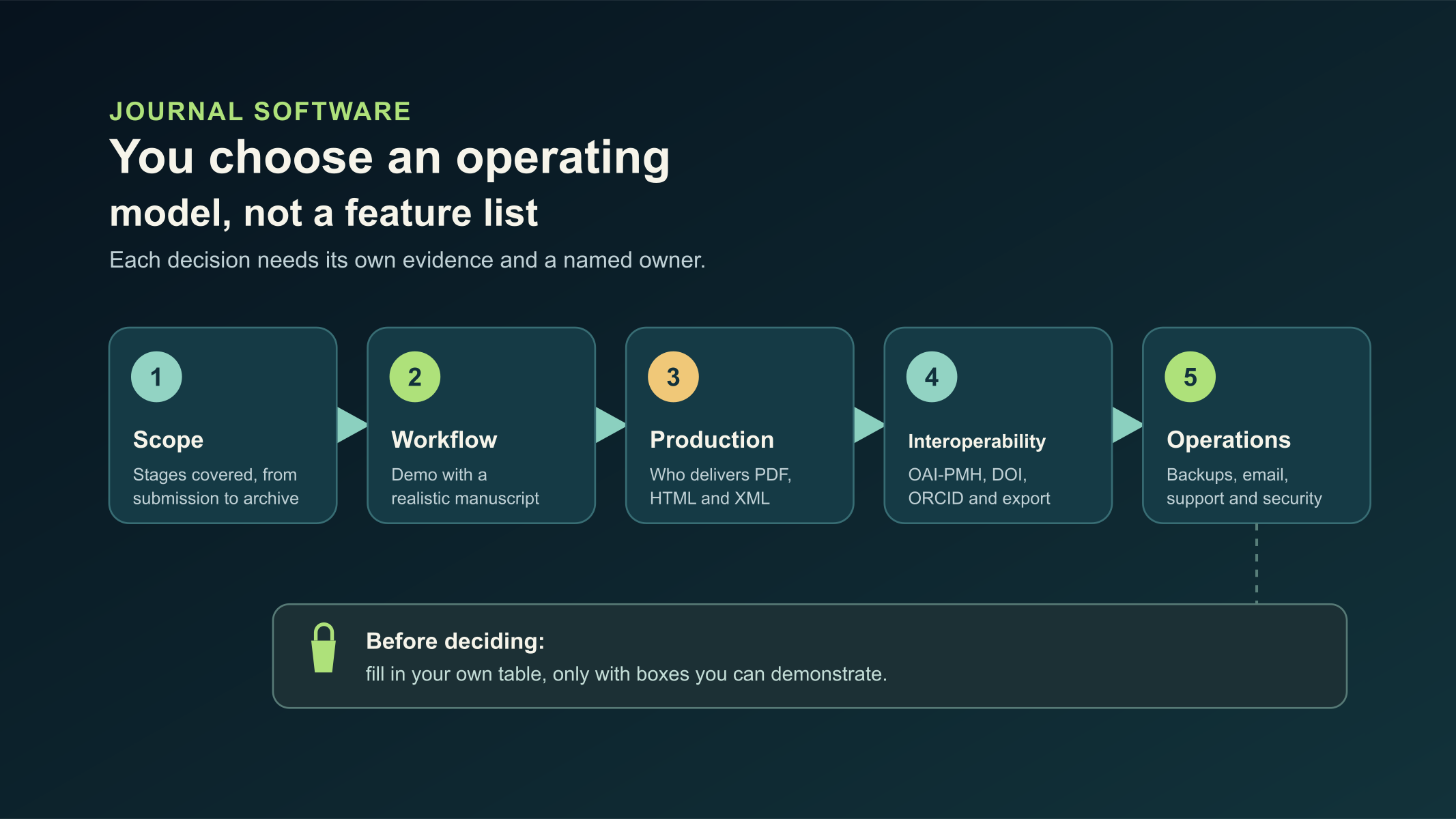
Original diagram. Choosing editorial software means deciding on an operating model, not comparing feature lists.
Define the editorial scope first
A journal must decide which part of the work the software will cover: receiving submissions, review, copyediting, production, publication, preservation or all of those steps. OJS is described as a solution for managing and publishing academic journals, and its guides separate administration, editorial management, review and authorship tasks.[1]
Map the current workflow. Mark where data is duplicated, where version control is lost and who approves each delivery. That map is more useful than starting with a price comparison.
Review the complete editorial workflow
Ask for a demonstration on a realistic manuscript, without sensitive data. It should include:
- submission with required metadata;
- editorial assignment and peer review;
- copyediting and production files;
- scheduling, publication and later corrections;
- permissions for authors, reviewers, editors and administrators.
It is not enough that each screen exists. Check which actions are logged, what each role can do and what happens when the person in charge of a journal changes.
Do not confuse platform and editorial production
The platform manages the process; production turns the accepted article into publication versions. Some commercial offers integrate review, publication and typesetting; for example, Scholastica states HTML, PDF and JATS XML deliverables under its publishing service.[2]
The relevant question is not only whether an XML file is generated. Ask which structure is validated, how references, figures and metadata are controlled, and who reviews the version before publication. If the journal needs XML for a specific workflow, it must agree on the technical profile and the editorial control; a file does not guarantee acceptance by an index.
To go deeper on this layer, read Outsourcing JATS XML tagging for SciELO: how to decide and JATS XML for SciELO: errors a valid XML can still contain.
Evaluate interoperability as a list of tests
Interoperability is not a logo. For the specific version to be implemented, it is worth verifying:
- OAI-PMH exposure;
- metadata for articles, authors, affiliations and identifiers;
- DOI export and connection with the relevant agency;
- ORCID, ROR or other required integrations;
- export of files and data in case of a platform change;
- preservation and backup policy.
OJS has a plugin gallery and plugin documentation; that flexibility requires checking compatibility before installing or upgrading, because a plugin is not automatically appropriate for every version or journal.[3]
Calculate the operations that come with the software
Software does not watch certificates, test restores or solve email deliverability on its own. Define who will take on:
- updates and prior testing;
- monitoring and log review;
- backups of the database, files and configuration;
- support for editors;
- changes of domain, email and permissions;
- the first response to an incident.
At a university, you also need to define the boundary between central IT, the library, the editorial board and the provider. OJS implementation: checklist before launching a journal helps turn that conversation into verifiable tasks.
Compare alternatives with criteria, not adjectives
Use your own table and fill in only boxes you can demonstrate:
| Area | Decision question |
|---|---|
| Workflow | Does it represent the journal's review and editing process? |
| Roles | Are permissions and changes of position auditable? |
| Production | Who delivers PDF, HTML and XML, and with what control? |
| Data | Can metadata, files and users be exported in a documented way? |
| Integrations | Does the version support the connections the journal needs? |
| Operations | Who maintains infrastructure, email, backups and security? |
| Cost | How much is license, implementation, support and production? |
The best alternative is the one that can answer these questions with evidence and assign an owner to each risk.
Common mistakes
A frequent mistake is buying software thinking it will replace an editorial policy. The platform organizes tasks; it does not define review criteria, ethics statements or the quality of metadata.
Another is migrating without an inventory. Before changing systems, record versions, plugins, roles, collections, DOIs, files and redirect paths. A migration is a project with testing, not an interface update.
It is also a mistake to separate platform, email and production without naming who reconciles the data between those stages. Every handoff can introduce differences between what was approved and what was published.
Frequently asked questions
Is OJS only for one journal?
No. PKP documents site administration and hosted journals; one installation can organize several journals, with governance decisions that must be defined.[4]
Does JATS XML guarantee indexing?
No. It can be a technical requirement or an input, but each index keeps its own criteria and processes.
Is it enough to hire only hosting?
It depends on whether the institution can take on editorial support, updates, security, email and production. Hosting is only one part of operations.
Conclusion
Selecting software for academic journals means deciding on an operating model. Document the workflow, test interoperability, assign owners and evaluate production as a separate layer.
OJS ONE offers implementation, specialized operations and editorial production with Jatson for journals that work with OJS. It can be relevant when the institution wants to centralize those stages while keeping clear which editorial controls it retains.
Sources
- PKP, About Open Journal Systems 3.5 — accessed 2026-10-26.
- Scholastica, Publisher Guide — accessed 2026-10-26.
- PKP, OJS/OMP/OPS Plugin Guide and Inventory — accessed 2026-10-26.
- PKP, Learning OJS: Site Administration — accessed 2026-10-27.
Is your journal struggling with slow performance or recurrent outages?
Contact our team and see how enterprise-grade infrastructure can transform your editorial operation.
Request assessment