Updating OJS: the editor's decision on a patch
Updating OJS is not just an IT task: it is a leadership decision that affects the continuity of the current issue, the journal's indexing and its reputation. PKP says it clearly on its releases page: "Sooner or later, unsupported versions will develop security vulnerabilities". The next step is yours, and this piece sets out what to look at before authorizing the window.
This article is the decision before the incident. If you already have an active problem, the pieces OJS intrusion: decisions to recover a journal and hardening after an incident cover the critical moment; here we deal with how to authorize an update properly.
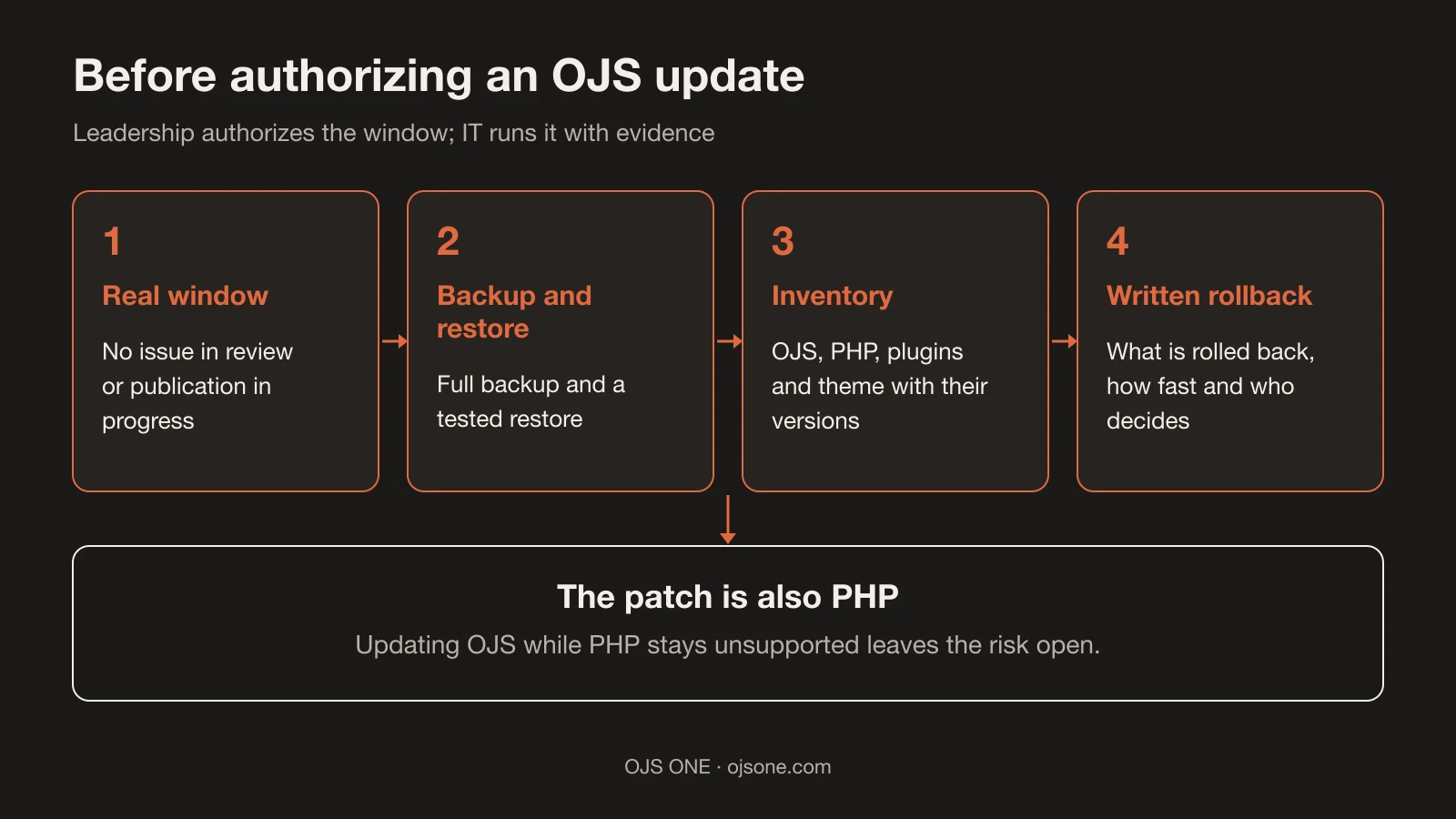
Updating OJS: the editor's decision, not only IT's
Direct answer: the editor-in-chief or the director authorizes the window; IT runs it. Without that signature, the update gets postponed indefinitely among other priorities.
What weighs in that decision, without embellishment:
- Editorial continuity: a badly placed window cuts off an issue in review or publication. The cost is not only technical: it means stalled submissions and authors' emails left unanswered.
- Indexing: indexes and harvesters depend on the portal responding and its metadata staying exposed. A long outage or a compromised portal damages that relationship.
- Reputation: a portal with malicious redirects or SEO spam in search results becomes associated with the journal, not the provider. Repair time is paid for with credibility.
- Documented responsibility: the authorization should be recorded (what was approved, when, with which rollback plan). Those minutes are what separate a professional decision from an emergency order.
This framing is our own editorial criterion; the pieces linked above show what the consequences look like when the decision was not taken in time.
What the support roadmap says today
Direct answer: current versions have public dates, and no version is maintained forever.
PKP's release table (checked on 18 November 2026) shows: 3.5 LTS, supported until "Q2 2029 (3 years)"; 3.4 STS and 3.3 LTS, both until "Q2 2027"1. PKP recommends keeping the installation on a supported version ("We strongly recommend keeping your installation updated to a supported version"1) and clarifies the model: odd-numbered versions (3.3, 3.5) are LTS, "supported for at least 3-5 years"1, and you can "upgrade directly from LTS to LTS"1.
There is a discrepancy that we state rather than hide: the download page says 3.3 will be supported "until at least January 1, 2027"2, while the release table shows Q2 2027 for 3.3 and 3.41. Both are verified; the final date should be confirmed with PKP before budgeting against it.
On specific patches: the public download page already lists "OJS 3.5.0-6 LTS was released on November 1st, 2026"2 and also 3.4.0-12 from the same day2. When your version appears on that page with a new date, that is the patch your installation should be running.
It also pays to choose carefully if you decide to switch branches: if you are unsure, PKP says "we recommend only using LTS versions"1, while STS versions exist to "benefit from new feature releases more frequently"1. For a journal that publishes regularly, LTS is the sensible bet; STS is for those who accept upgrading every year or so. And note: 3.6 will be STS when it comes out (still without an official package), so the "should we jump to 3.6?" discussion is raised, not settled, today (real test of the build).
The patch is also PHP, not only OJS
Direct answer: an OJS update that ignores the PHP version is half done, because the runtime also receives critical patches.
On 21 October 2026, the PHP project published "PHP 8.5.12, 8.4.27, 8.3.36, and 8.2.35"3, fixes that "allow an unauthenticated attacker to execute code"3 on PHP servers under certain conditions: two critical code-execution vulnerabilities, CVE-2026-109618 and CVE-2026-1096193. The message for operators was direct: "If you run PHP, it is imperative that you update now"3.
Two useful lessons for your decision:
- Ask for the PHP version in the same window: if your provider patches OJS and leaves PHP on an unsupported version, the risk remains open on the same server.
- Distrust hallway CVSS scores: during disclosure "a wrong CVSS score of 10.0 (the actual score is 9.2)"3 circulated before the official notice. The figure your committee uses must come from the official bulletin, not from social media.
What a postponed window puts at risk
Direct answer: it is usually not the risk of updating that hurts; it is the risk of not updating.
- An outdated portal accumulates known vulnerabilities, the ones we already covered in PHP2Shell and what to ask your provider and in the subscriptions vulnerability. The more time passes, the bigger the pending version jump and the longer the list of plugins to review.
- And the exposure is not only the server's: a portal that does not respond or exposes broken metadata affects harvesting by the services connected to your OJS, as we saw in Latindex and OAI-PMH interoperability.
- Each postponed update makes the next one more expensive: migrating from 3.3 to 3.5 is one route; migrating from a 3.3 with an unsupported theme and plugins is a different one.
- And a window run without preparation is also a risk: an update without backups or rollback can turn an afternoon into an incident.
The rule we use: known, planned risk versus unknown, accumulated risk.
How to prepare the update without stopping the issue
Checklist for the window, in order:
- Find the real window: close submissions and check which issue is in production; avoid a publication in progress.
- Full backup (files, database, configuration) and a restore test, not just a backup sitting on disk.
- Inventory: current version, PHP, plugins with their versions and theme. Flag those unsupported in the target version.
- Test environment: rehearse the update on staging first when the portal allows it; reproduce there the errors you expect to find.
- Official route: use PKP's upgrade route for your pair of versions; from 3.3 to 3.5 there is a direct LTS→LTS upgrade1.
- Written rollback plan: what is rolled back, how fast and who decides. Without it, there is no window, there is a gamble.
- Post-update tests: login, submissions, review, publication, galleys, DOI, OAI-PMH, email and statistics; the full list lives in the guide to upgrading to 3.5 LTS.
- Communication: notice to authors and reviewers with a return date; hours of silence are read as an outage.
What to require of your provider when they run it
If your provider runs the update, ask for evidence, not promises:
- Target version and official route applied, with the date of the release the patch comes from2.
- A record of the window: start time, end time and the result of the post-update tests.
- A verified backup before touching anything, with a documented restore test.
- A list of plugins updated or disabled, with the reason.
- Email status after the change (SMTP, SPF, DKIM and DMARC still working): we cover the details in transactional email for OJS.
- A support channel with a defined response time for the following days.
If you cannot verify something on this list, it is not compliance: it is an expectation.
Common mistakes when updating
- Updating "for a little while" on a Friday without a backup or rollback.
- Changing the PHP and OJS versions in the same window without having tested the combination.
- Carrying unsupported plugins and themes into the new version and discovering it in production.
- Not testing email: the update "works" and the journal stops notifying authors, reviewers and editors.
- Postponing because "it works as it is": it works until someone exploits what is already known.
- Communicating late: the perception of an outage is defined by the notice, not by uptime.
Frequently asked questions
How often should OJS be updated?
It depends on the branch: LTS versions are meant to move every few years ("supported for at least 3-5 years"1) and security patches are applied when PKP publishes them2. What you cannot do is fall out of support without a plan.
Can I jump directly from 3.3 to 3.5?
Yes, the direct upgrade between LTS versions exists1, subject to the state of your plugins, theme and PHP version. The prior inventory determines the real effort; without it, the promise of a "direct jump" means nothing.
What do I check after the update?
The guide's test list: submissions, review, publication, galleys, identifiers, OAI-PMH, email and statistics. And in the following days, the error log and user reports.
Conclusion. Authorizing an update is managing risk with evidence: date, backup, rollback and tests. If you want us to assess the state of your installation before deciding, in cybersecurity for OJS we audit and support the window; for a full route covering version, plugins and risks, there is the OJS 360 Assessment.
Sources
- PKP. PKP Software Releases. https://pkp.sfu.ca/software/releases (accessed 18 November 2026).
- PKP. Download and Install OJS. https://pkp.sfu.ca/software/ojs/download/ (accessed 18 November 2026).
- The PHP Foundation. Today's PHP Security Release, and How We're Strengthening PHP Security. https://thephp.foundation/blog/2026/10/21/todays-php-security-release-and-how-were-strengthening-php-security/ (accessed 18 November 2026).
Cybersecurity for OJS
Is your OJS patched and free of prior compromise?
We audit the installation, apply OJS and PHP patches with evidence, hunt for webshells and persistence, and respond if an incident has already happened.
- OJS-specific audit and hardening
- Patches with a tested restore
- Incident response
Cybersecurity for OJS
Is your OJS patched and free of prior compromise?
We audit the installation, apply OJS and PHP patches with evidence, hunt for webshells and persistence, and respond if an incident has already happened.
Review my OJS