Crossmark is the button that tells readers, in one click, whether an article has been corrected, updated or retracted ("With one click, you can see if content has changed"1). Turning it on is not adding a logo: it commits your journal to publishing a corrections and retractions policy with its own DOI and to registering every update. Before switching it on, it is worth knowing what it requires and what it does NOT guarantee.
If your journal already carries identifier debt, the prior diagnosis is in broken metadata and missing DOIs; this piece covers the integrity layer after publication.
What Crossmark is and what it is for
Direct answer: a verifiable status of the content, published by the Crossref member and available from the page and the PDF.
Crossref defines it like this: "The Crossmark button gives readers quick and easy access to the current status of an item of content"1, including corrections, retractions or updates to the record. Its strength is physical reach: "the Crossmark button can also be embedded in PDFs"1, so a PDF downloaded months ago can still warn that something changed, which a web link cannot do.
For a university journal, the value is trust: the reader, the librarian or whoever cites the article sees its official status without writing to anyone, and the journal shows that it has a procedure for when something is corrected.
Crossmark and your editorial policy: where they meet
Direct answer: Crossmark publishes the decision; the policy defines which decision is taken.
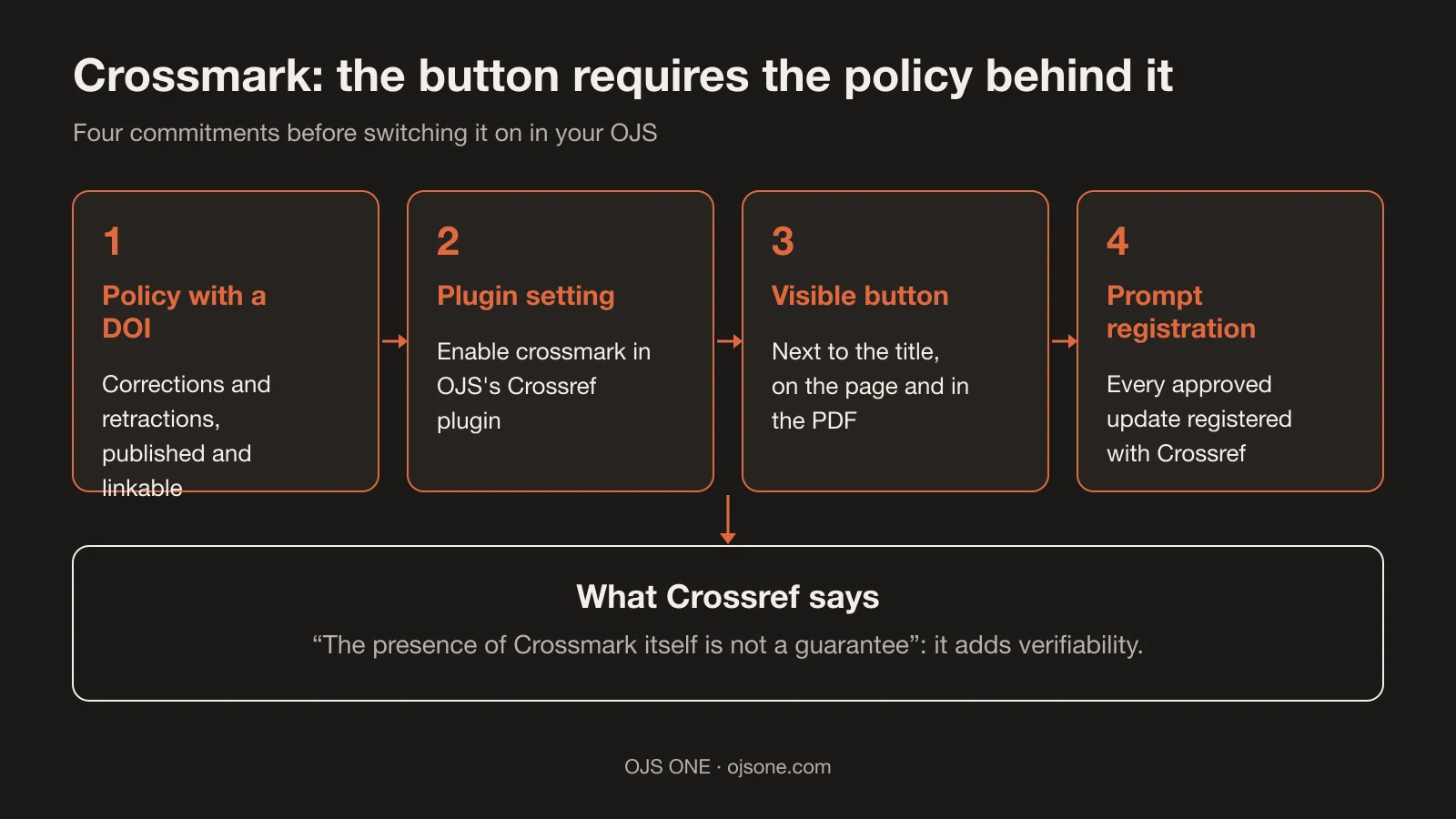
Before the button, your committee must answer four questions and put them in writing:
- Which statuses you use: correction, retraction, minor update? Crossmark reflects "corrections, retractions, or updates to that record"1; your policy must define what falls into each category and who decides.
- Who approves: the same committee that approves publication should approve corrections. Having a named owner prevents a retraction from depending on one person's availability.
- How it is communicated: notice to authors, linked version, a visible message on the article. A change registered with Crossref but invisible in the journal creates confusion.
- Which deadline you meet: "promptly register any updates"1 without a number is debatable; agree on one (for example, within the week after approval) and check compliance in your closing review.
If your journal does not have even the first answer in writing, start there: Crossmark is the megaphone, not the policy.
What Crossmark requires of your journal
Direct answer: four formal commitments, not a decorative checkbox.
- A registered update policy: "Any member can provide update metadata and register an update policy"1. In practice you need a policy page (corrections, retractions, improvements) with its own DOI, published and linkable from Crossmark.
- Timely registration: the member must "Maintain your content and promptly register any updates"1. If an article is corrected, the record is updated; without that step, Crossmark will show an outdated status.
- The button on every new article: "the Crossmark button must be applied to all of your new content, not just content that is updated"1. Selective implementation (only on what changed) is explicitly ruled out.
- Correct placement: "Members place the Crossmark button close to the title of an item on their web pages and in PDFs"1, next to the title and in the PDF version.
If your journal has no written policy, Crossmark is not the first step: first the policy document, then the button.
How to enable it in OJS (we checked the plugin)
Direct answer: PKP's official Crossref plugin already includes Crossmark in its code; your part is the policy and the configuration.
Checked in the plugin source ("A Crossref plugin for OJS"2, which "comes together with OJS"2): there is a per-context crossmark setting, the function that builds the <crossmark> node in the deposit XML (with crossmark_policy and the updates block) and a visual CrossrefCrossmarkButton component for the site. The plugin's own guide places the export functionality "through DOI management page"2.
Recommended sequence (our criterion, on that basis): you do not need to install additional software (the plugin is distributed as a submodule and "comes together with OJS"2), so the real work is policy and configuration, not deployment.
- Write and publish the corrections and retractions policy with its DOI.
- Enable the plugin's
crossmarksetting for your journal. - Check that the button appears next to the title on the article page and inside the PDF.
- Run a real test: change the status of a test article and verify that Crossmark reflects it.
- Put in writing who registers updates and within what deadline.
What Crossmark does NOT guarantee
- It guarantees nothing by itself: "the presence of Crossmark itself is not a guarantee"1, says Crossref. What it adds is verifiability: the community can see how your journal reports changes.
- It does not fix broken metadata: Crossmark manages the article's status; missing DOIs and incomplete references are a different debt, the one we cover in metadata and missing DOIs3.
- It does not decide indexing: no index acceptance depends on having Crossmark; it is an indicator of good integrity practice that some evaluators may consider, without that being a promise of anything.
- It does not replace your editorial workflow: someone has to detect the correction, approve it and register it. The tool only publishes what that process delivers.
- It does not fix the past automatically: articles published before enabling it remain without the button until you review them; the requirement applies to new content1, and the back catalogue is separate work.
Checklist before enabling it
- Corrections and retractions policy published with its own DOI and linked.
- Statuses and categories defined, with a named owner and an agreed deadline for registering updates.
- The plugin is distributed as an OJS submodule, with no separate installation2; the
crossmarksetting is a configuration matter, verified in the source code (our own observation). - Button visible next to the title, on the page and in the PDF1.
- End-to-end test done and documented (simulated change → status reflected).
- Decision recorded in the committee minutes: Crossmark is enabled as a policy, not as a feature.
- Staff who know how to use Crossref's update form, with the journal's correct account.
- Annual review: policy, deadlines and owners are still current and being met.
Common mistakes with Crossmark
- Enabling the button without a published policy: the reader clicks and there is no document behind it.
- Correcting the article in OJS without registering the update with Crossref: the page says one thing and Crossmark another.
- Implementing it only on the web and forgetting the PDF, which is where old content lives longest1.
- Expecting Crossmark to raise indexing or citations: it changes transparency, not ranking.
- Treating a minor correction and a retraction the same way: they are different statuses in your policy and must be called by their name.
- Updating only the journal's website and forgetting the Crossref record: a reader who trusts Crossmark will see the previous status.
- Leaving the old PDF without the button: the document that circulates most is the one updated least, which is why Crossmark insists on it1.
- Writing the policy as institutional prose without deadlines or owners: it looks nice and cannot be applied.
Frequently asked questions
Is Crossmark mandatory to have DOIs with Crossref?
No. DOIs and deposits work without Crossmark; it is a voluntary transparency layer that requires additional commitments (a registered policy and update registration1). Enabling it without those commitments is pure window dressing, and Crossref warns about it1.
Can I enable it if I do not yet have a corrections policy?
You can, but you would have a button pointing to nothing. The right order is: policy with a DOI → enabling the plugin setting → test → announced activation.
How much work does it add for the team?
The real extra work is registering updates: every approved correction must be reflected in Crossref "promptly"1. With a defined owner and deadline, it is a task bounded by volume; without an owner, it becomes the debt that makes the button useless.
Conclusion. Crossmark turns your corrections policy into something readers can verify; the prior work (writing the policy and deciding who registers what) is where most journals get stuck. If you want to review the state of your DOIs, your integrity policy and the plugin configuration, that is part of the OJS 360 Assessment; you can also write to us.
Sources
- Crossref. Crossmark. https://www.crossref.org/documentation/crossmark/ (accessed 18 November 2026).
- PKP. pkp/crossref-ojs: A Crossref plugin for OJS. https://github.com/pkp/crossref (accessed 18 November 2026).
- OJS ONE. Broken metadata and missing DOIs: technical debt in scientific journals. https://ojsone.com/en/resources/metadatos-rotos-dois-ausentes-deuda-tecnica-ciencia-abierta (accessed 18 November 2026).
OJS 360 Assessment
Before applying, know exactly what is missing
We review metadata, DOIs, OAI-PMH, policies and preservation against what DOAJ, Latindex and SciELO ask for, and hand you a prioritized route with owners.
- Evidence-based diagnosis by dimension
- Prioritized route and correction plan
- Indexing decisions always belong to the index
OJS 360 Assessment
Before applying, know exactly what is missing
We review metadata, DOIs, OAI-PMH, policies and preservation against what DOAJ, Latindex and SciELO ask for, and hand you a prioritized route with owners.
Request a diagnosis