PHP2Shell and OJS is shorthand for asking whether your journal may have been exposed to two critical PHP flaws patched on 21 October 2026. The problem is in PHP, not OJS, but the fix must be applied to the server that runs the journal. If you direct a journal, your job is not to apply the patch yourself: it is to request evidence that the fix is active and that no one accessed the server beforehand.1
This guide is for journal decision-makers, not server administrators. It gives you questions to ask, evidence to request and criteria for deciding whether an independent review is needed.
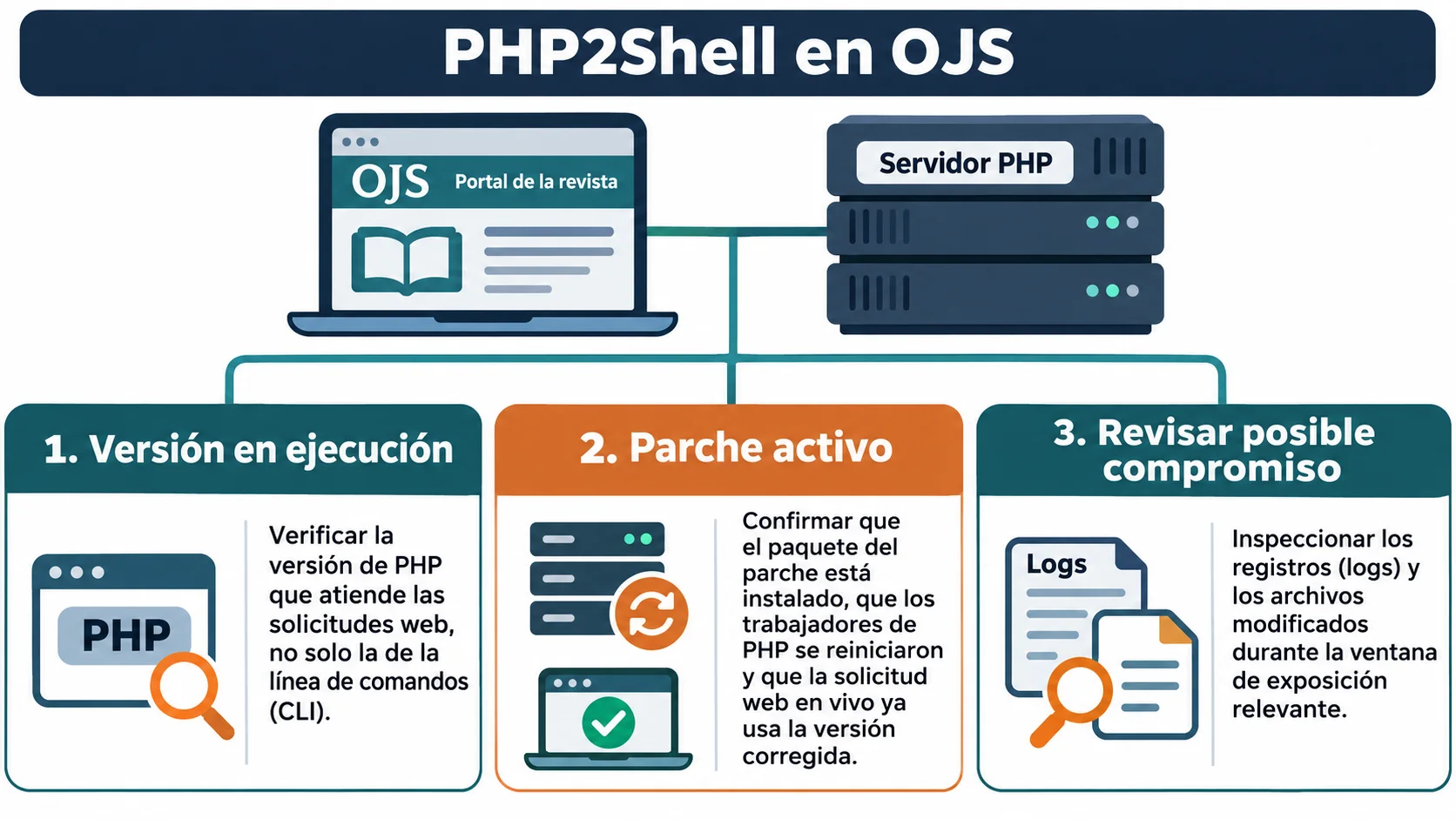
What happened and why journal directors should care
The PHP interpreter had two vulnerabilities, tracked as CVE-2026-109618 and CVE-2026-109619. PKP clarifies that the flaw is in PHP, not OJS, and recommends that self-hosted journals ask their hosting provider or IT team to apply the latest PHP security update as soon as possible.1
The severity explains the urgency. Sophos says both flaws could allow unauthenticated remote code execution with the privileges of the web-server account, and rates them 9.2 (critical) under CVSS v4.0.2 The PHP Foundation likewise describes them as flaws that can let an unauthenticated attacker execute code on PHP servers.4
There is a detail that changes the management decision: Sophos reports that Amazon Threat Intelligence recorded an exploitation attempt on 17 October 2026, before public disclosure.2 Patching now does not show whether someone accessed the server earlier. These are separate questions, and you need answers to both.
What is at stake for a journal: continuity, visibility and reputation
This section is practical guidance, not a claim about a particular journal. If someone runs code as the web-server account, they may be able to alter files, pages and portal settings. For a journal, that creates three risks directors already care about.
First, continuity: emergency work may interrupt submissions, peer review and publication. Second, reputation: OJS ONE describes loss of trust among authors, reviewers and editorial teams as one possible consequence of a compromised server.5 Third, visibility: an altered portal may lose the trust of readers and systems that crawl it, and restoring that trust takes more than closing a vulnerability.
Treat PHP2Shell as a journal-governance decision, not only as a technical task.
Questions to ask your provider or IT team
Ask for written answers. “It’s taken care of” is not evidence. These questions help structure the discussion:
- Which PHP version currently serves the website? The PHP releases published on 21 October that fixed these flaws are 8.5.12, 8.4.27, 8.3.36 and 8.2.35, or equivalent packages supplied by your distribution or hosting provider.2
- When was the update applied, and who applied it? Sophos notes that these updates are not installed automatically.2 Someone had to perform the work.
- Were PHP workers restarted after the update? An installed update that has not been loaded does not protect the running service.
- Which other environments also run PHP? Other journal portals, subdomains, staging sites and containers need to be checked too.
- Does the journal use PHP 8.1 or earlier? Those branches no longer receive support from the PHP project, although some distributions or extended-support providers may issue backported fixes. Ask for the provider’s advisory and evidence of the package applied; the version number alone does not show whether a system is vulnerable or fixed.3
- What did you review to rule out earlier access, and what date range did you cover? We return to this below.
How to check that the patch is active, not just installed
The gap between “installed” and “active” is where systems can remain exposed. Sophos recommends identifying PHP through evidence of what is running, rather than relying only on asset records.2 In practice, ask for:
- The PHP version responding to web requests, obtained from the running service rather than an inventory file.
- The date and time PHP workers or the web server were restarted after patching.
- Confirmation that effective settings were checked through a real web request. Sophos cautions that the web configuration should be checked through a live request rather than from PHP’s command line, which may load different settings.2
- A list of all servers and environments reviewed, so no one assumes another team updated them.
There is also a follow-up precaution. The Netherlands’ NCSC operational repository recommends keeping session.upload_progress.enabled=0 until the next regular PHP bug-fix release.3 Ask your team whether this setting is in place and whether your application needs the feature.
If your provider cannot patch today: mitigations and limits
Sophos lists measures that can reduce exposure when an immediate update is not possible, such as taking PHP applications offline or placing them behind network-level authentication.2 For an open-access journal, taking the portal offline has an obvious editorial cost; the director and technical team must weigh that decision together.
Configuration changes can also reduce risk. OJS accepts files from authors and reviewers, so disabling file uploads may stop the journal’s work. Agree on any mitigation with the people who understand the portal and its workflow.
The key point: Sophos is explicit that mitigations do not replace updating PHP.2 If a provider proposes a mitigation as the permanent solution, ask for a committed update date.
Review signs of compromise from 1 August
Sophos recommends reviewing activity on exposed systems from 1 August 2026 as a precaution.2 Ask your team for a summary of what it checked. Sources mentioned in the advisory include:
- Web and firewall logs: requests that upload files to paths that do not normally receive uploads, and requests containing the PHP_SESSION_UPLOAD_PROGRESS field.2
- Website files: new or modified PHP files that could indicate a web shell.2
- Processes, outbound connections and server or application administrator logins.
There is a limitation: many CDN and access logs do not retain request bodies, so an application firewall may be the only source that records the relevant detail.2 If your provider says “the logs show nothing,” ask which logs were retained and whether they contained that information.
If the answer is insufficient, an independent assessment may be appropriate. See our guides to early signs of compromise in OJS and persistent malware on an apparently clean server.
Decisions that can prolong exposure
Confusing an OJS update with a PHP update. They are different layers. PKP says the flaw is in PHP and must be fixed on the server.1
Accepting “we patched it” without evidence. Ask for the running version, the update date and the restart.
Patching production only. A staging site or secondary portal with real data may still be an entry point.
Looking only ahead. An exploitation attempt was reported before public disclosure.2 The patch closes the vulnerability; it does not tell you who may have accessed the server earlier.
Treating a mitigation as closure. It may reduce one attack path, but it does not fix the vulnerability.2
Leaving ownership unclear. Decide who confirms the patch, who reviews the logs and when the director receives the result.
Turn this incident into a continuity practice
PHP2Shell will not be the last vulnerability affecting the platform behind a journal. You can establish a repeatable process: keep an inventory of environments and PHP versions, name someone responsible for applying and verifying patches, test backups outside the server, and define when to escalate. Our guide to off-site backups and production hardening covers the technical work; the guide to recovering after an intrusion covers the decisions if something went wrong.
OJS ONE offers cybersecurity services for OJS, including a compromise assessment that evaluates whether an installation has been compromised even when obvious signs are absent, as described on the service page.5 It can help when your provider cannot show the evidence you requested; it does not replace the responsibility of the organization hosting and operating the server.
Frequently asked questions
Do I need to update OJS because of PHP2Shell?
Not necessarily. PKP says the vulnerability is in PHP and the fix must be applied on the server.1 Updating OJS is a separate decision with its own testing requirements.
If the patch is installed, can I assume the journal was not affected?
No. The patch prevents further exploitation of the fixed flaws, but it does not rule out an earlier intrusion. Sophos reports an attempt before public disclosure and recommends reviewing activity from 1 August 2026.2
What minimum evidence should I keep for the editorial team?
Keep the PHP version in use, the patch and restart dates, the list of environments reviewed, and a summary of the log review with the dates covered. Record who confirmed each item.
In short: ask for a verifiable active version, a complete list of environments and a dated review for signs of compromise. With those three items, you can make an informed decision. If they are missing, consider an independent review: learn about OJS ONE cybersecurity services.
Sources
- Public Knowledge Project. Service Update: Intermittent Issues Across PKP Sites. https://pkp.sfu.ca/2026/10/22/pkp-service-update-october-2026. Accessed 5 November 2026.
- Sophos. Advisory: PHP2Shell Vulnerabilities (CVE-2026-109618, CVE-2026-109619). https://www.sophos.com/en-us/security-advisories/sophos-sa-20261021-php2shell. Accessed 5 November 2026.
- NCSC-NL. php2shell: operational information regarding the 2026 php2shell vulnerabilities (status updated 4 November 2026). https://github.com/NCSC-NL/php2shell. Accessed 5 November 2026.
- The PHP Foundation. Today's PHP Security Release, and How We're Strengthening PHP Security. https://thephp.foundation/blog/2026/10/21/todays-php-security-release-and-how-were-strengthening-php-security/. Accessed 5 November 2026.
- OJS ONE. OJS cybersecurity: incident response and forensics. https://ojsone.com/en/cybersecurity. Accessed 5 November 2026.
Cybersecurity for OJS
Is your OJS patched and free of prior compromise?
We audit the installation, apply OJS and PHP patches with evidence, hunt for webshells and persistence, and respond if an incident has already happened.
- OJS-specific audit and hardening
- Patches with a tested restore
- Incident response
Cybersecurity for OJS
Is your OJS patched and free of prior compromise?
We audit the installation, apply OJS and PHP patches with evidence, hunt for webshells and persistence, and respond if an incident has already happened.
Review my OJS