In Latindex Catalogue 2.0, the interoperability feature requires two verifiable things on your site: stating the protocol used and publishing the address to access it, and including metadata on the journal's presentation page and in every article. It is feature 31, not 34, and it is met with OAI-PMH plus a metadata standard per article.
This guide turns that requirement into checkable tasks, clears up the numbering and leaves you a list to review before applying or requesting a re-rating.
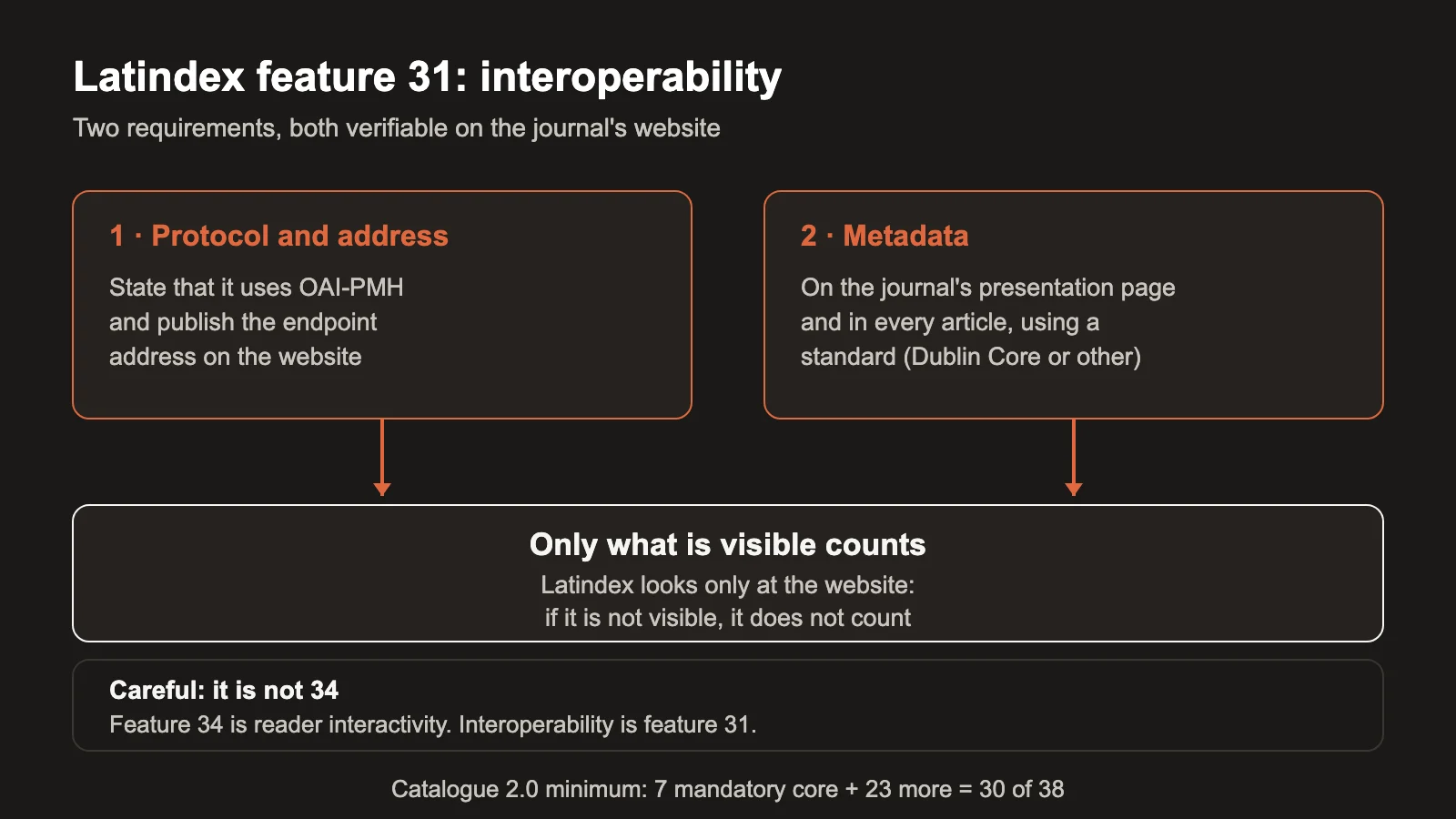
What the interoperability feature requires
The Catalogue 2.0 rules (version 8, June 18, 2025) require the journal to incorporate protocols that allow other systems to harvest its content.1 To meet the feature, the journal must:
- State the interoperability protocol it uses and provide the electronic address to access it.1
- Include metadata both on the journal's presentation page and in each of its articles.1
The application note sets the expected protocol, OAI-PMH, and adds that each article must be described with Dublin Core meta tags or another standard. In practice: using a metadata standard is mandatory.1
In other words, having OAI-PMH active is not enough. You have to publish the endpoint address on the website and describe each article with a metadata standard. Both must be visible or consultable from the site, which is exactly where the evaluator looks.
Why does it weigh so much? Because the protocol is useless if your server prevents harvesting. PKP documented that some journals are absent from OpenAlex because their server blocks the harvester,3 and that evaluations fail when names or affiliations are wrong or missing in the metadata.3 Interoperability is the route; it does not guarantee indexing, but without it there is not even a route.
It is feature 31, not 34: where it sits and what it asks
The Catalogue 2.0 rules place "Use of interoperability protocols" as feature 31, within the block for online journals.1 Feature 34 is "Interactivity services for the reader".1 If your internal checklist says "requirement 34", you are checking something else and interoperability remains unreviewed.
This matters when applying and when requesting a re-rating, because the rating is applied only with the information visible and consultable on the journal's institutional or official site.1 The reviewer looks at your website, not at your internal configuration: if the endpoint or the metadata cannot be consulted from there, the feature is not considered met even if the system holds them.
How to meet it: OAI-PMH and per-article metadata
PKP states that OJS lets you publish work in machine-readable metadata formats such as Dublin Core and OAI-PMH, and distribute it to metadata harvesters.2 Your journal's job is to leave it visible and complete:
- Accessible OAI-PMH endpoint. It should respond and be linked from the journal's website, for example on its presentation page or its metadata policy page. And the server must not block harvesters.3
- Per-article metadata. Each article described with Dublin Core or another standard:1 title, authors, affiliation, abstract, keywords, dates and references, all complete.
- A mention on the journal's presentation page. The feature asks for metadata on the presentation page too, not only in the articles.1
A standard such as Dublin Core asks for at least title, authorship, date, subject and description. OJS fills in many of those fields from the submission, but only if the editorial team completes and reviews them before publishing. An empty abstract, half-filled keywords or unnormalized references weaken the record the index harvests, even if the endpoint responds without problems. It pays to review those fields before publishing the issue and not afterwards: correcting them after publication means updating the article everywhere it appears, starting with its own page on the journal.
If your journal carries incomplete metadata or missing DOI, that debt affects interoperability. Our guide on broken metadata and missing DOIs helps organize that work before applying.
Keep in mind that this feature goes hand in hand with feature 32, "Use of different publishing formats", which asks for more than one reading format per document.1 Publishing only in PDF leaves that other one unmet.
At OJS ONE this is part of the operation: we review the exposure of the OAI-PMH endpoint and the completeness of per-article metadata. If you want a diagnosis of the rest, the OJS 360 Assessment evaluates metadata, interoperability and editorial state as separate dimensions.
How to check it before applying
A short review, with the website open as an evaluator will see it and from an incognito window, without logging in:
- Find where your journal declares the OAI-PMH protocol and its address. Is it in plain sight?
- Test that address: it should respond with the list of identifiers.
- Open an article and review its metadata: title, authors, affiliation, abstract, keywords, dates and references. Are they complete?
- Check that the journal's presentation page includes metadata, not only each article.
- Verify that each article has more than one reading format (PDF and HTML, for example).
- Repeat step 3 on a sample of recent articles.
- Note what is missing and who fixes it.
Keep screenshots or links for each check and record who did it and when: that record gets reused in the next re-rating, saves redoing the exercise from scratch when the person coordinating the journal changes, and spares you from chasing the same information in the next application. The rating is applied by what is visible on the site, so your evidence should be exactly that. If you want to see interoperability alongside the rest of your journal's visibility, the guide on OJS journal visibility connects these points with indexing.
The Latindex Catalogue 2.0 minimum: 30 criteria and 7 core ones
To enter the Catalogue you must meet the seven mandatory core features and at least 23 of the remaining ones, for a minimum of 30 out of 38.1 Interoperability (feature 31) is not one of the seven core ones, but it counts toward the minimum.
Keep in mind that remembering only "at least 30 of the 38 criteria" leaves out the mandatory part:1 the seven core features cannot be offset with points from other features. If one is missing, the journal can be left out no matter how many others it meets.
The feature is also required at re-rating, which can be requested up to one year after the last rating.1 Keeping interoperability up to date is not a one-time step; it is a condition that has to be sustained over time.
Common mistakes with Latindex interoperability
- Confusing 31 with 34. They are different; checking the wrong one does not meet interoperability.1
- Having OAI-PMH without publishing the address. The rating is applied to what is visible on the website.1
- Incomplete metadata per article. The feature asks for metadata in every article, not only on the front page.1
- Leaving a standard unapplied. Using a metadata standard on every article is mandatory.1
- Publishing only in PDF. You leave feature 32 unmet, which asks for more than one format per document.1
- A server that blocks harvesters. PKP points to it as a real cause of absence from indexes.3
- Assuming that applying is a formality. Without the seven core features and 23 additional ones, you do not get in.1
Frequently asked questions
Is interoperability a mandatory feature?
It is not one of the seven mandatory core features, but it is one of the 38 that count toward reaching the minimum of 30.1 For an online journal it is one of the most technical and verifiable.
Is having OAI-PMH active in OJS enough?
No. You have to state the protocol and its address on the site, and include metadata on the presentation page and in each article.1 And check that the server lets harvesters through.3
Which metadata standard should I use?
Dublin Core or another standard; what is mandatory is using a standard and describing each article with it.1 OJS exposes metadata in Dublin Core and OAI-PMH.2
Conclusion. Latindex Catalogue 2.0 feature 31 is met with a published OAI-PMH address and complete metadata per article, verifiable on your website. If you want to review your journal's interoperability and metadata together with the rest of its editorial state, the OJS 360 Assessment evaluates those points before you apply or request a re-rating.
Sources
- Latindex. Características de calidad del Catálogo 2.0, guía de calificación, versión 8, June 18, 2025. https://www.latindex.org/latindex/postulacion/postulacionCatalogo (accessed November 9, 2026).
- Public Knowledge Project. Open Journal Systems (OJS). https://pkp.sfu.ca/ojs/ (accessed November 9, 2026).
- Public Knowledge Project. Making research published with OJS count: A key milestone on the road to universal indexing. https://pkp.sfu.ca/2026/10/15/openalex-ojs-journal-discoverability (accessed November 10, 2026).
OJS 360 Assessment
Before applying, know exactly what is missing
We review metadata, DOIs, OAI-PMH, policies and preservation against what DOAJ, Latindex and SciELO ask for, and hand you a prioritized route with owners.
- Evidence-based diagnosis by dimension
- Prioritized route and correction plan
- Indexing decisions always belong to the index
OJS 360 Assessment
Before applying, know exactly what is missing
We review metadata, DOIs, OAI-PMH, policies and preservation against what DOAJ, Latindex and SciELO ask for, and hand you a prioritized route with owners.
Request a diagnosis