
OJS 3.5 Training: A Practical Program for Editors
Organize OJS 3.5 training with role-based exercises, editorial transition, ORCID practice and evidence of team autonomy.
OJS 3.5 Training: A Practical Program for Editors
OJS 3.5 training should let each person complete the tasks of their role, verify the result and recognize when they need help. This program proposes transition exercises, a learning matrix and evidence for assessing autonomy, beyond attendance.
We recommend keeping the complete path of the manuscript and adapting the practice to your installation. Learning where a button ended up is useful; explaining why an action applies and who may carry it out is what lets you assess editorial work.
Before OJS 3.5 training: diagnose your installation
First define the source version, the test version and the tasks your team needs to solve. Also record languages, theme, enabled features, available roles and known problems. Do not prepare the course assuming that all journals show the same screens.
York's documentation offers a concrete example of adaptation: its implementation does not use the default editorial masthead and warns that the materials about that feature do not apply to its operation.[1] The lesson for your program is practical: identify which exercises apply, which need adjustments and which should be left out.
Separate three recipients of the plan: whoever runs the editorial workflow, whoever manages the journal's authorized configuration and whoever technically administers the installation. Use this as a recommended distribution of responsibilities, not as a guarantee of each account's effective permissions. Do not require Linux maintenance from an editor in order to pass a review exercise.
If the project includes upgrading the platform, coordinate the course with the OJS migration guide. Training does not replace the technical evaluation, nor does it show that an upgrade is approved.
OJS training program: match roles, exercises and evidence
Agree on an observable outcome per activity before setting the duration. The following matrix is an adaptable proposal, not a contractual offer or a universal number of hours.
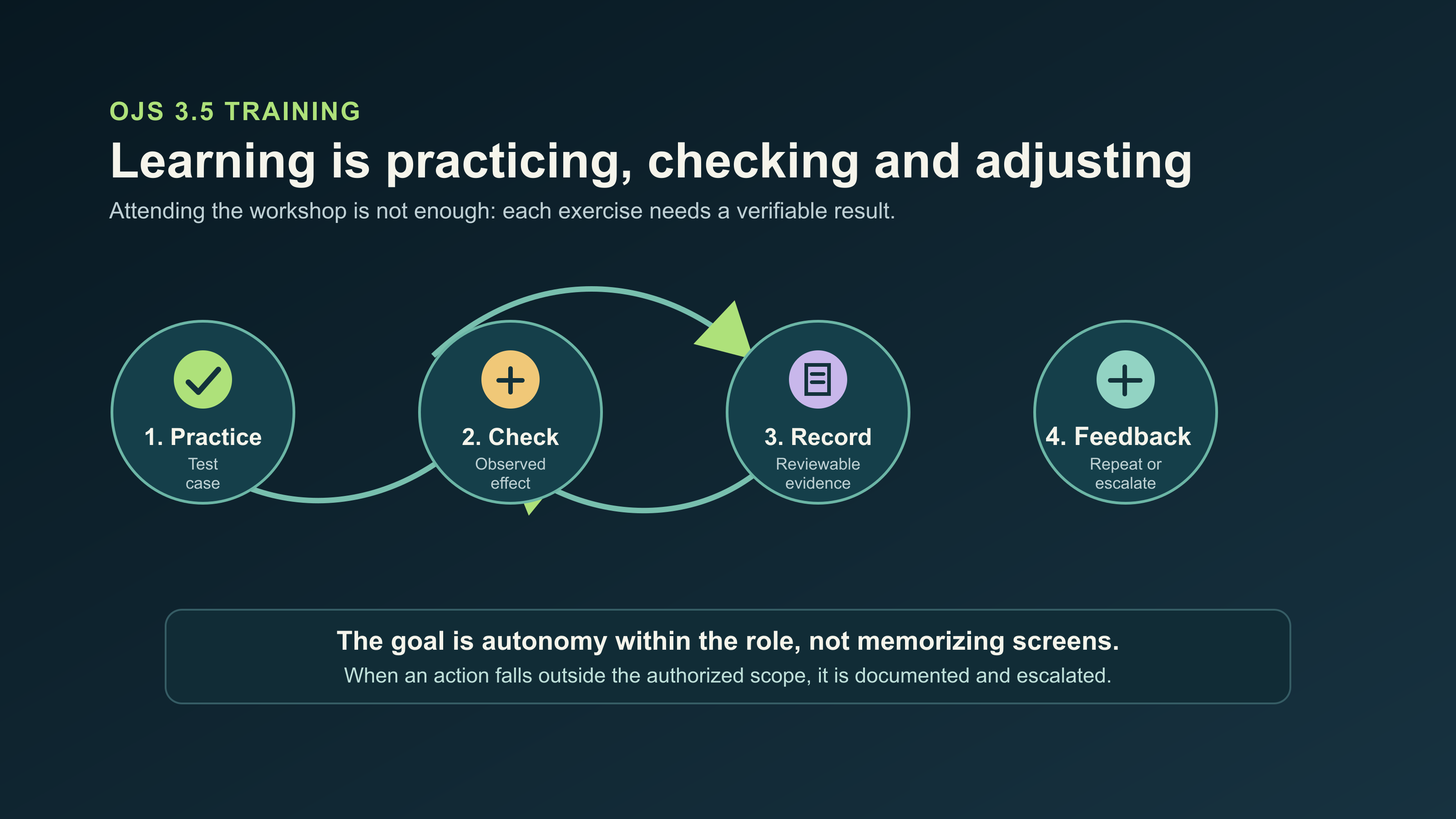
The cycle turns each activity into evidence of autonomy within the authorized role.
| Learning | Exercise participant | Proposed practice | Reviewable evidence |
|---|---|---|---|
| Locate pending work | Editor | Find a fictitious submission and explain its next action | Submission record and justification |
| Bring in participants | Authorized user manager | Invite a test account with the agreed role | Invitation and verified access |
| Run a review | Editor and test reviewer | Assign, respond to and record a fictitious decision | Final status and explanation of the path |
| Prepare publication | Editorial team | Correct metadata and review a fictitious galley | Checklist compared with the reader's view |
| Recognize the ORCID transition | Authorized manager and test participant | Review consent in a controlled demonstration | Observed result and identified limits |
| Escalate a problem | Each participant | Document a failed action without exposing secrets | Reproducible report for the owner |
Use PKP's free resources as a base. Its education announcement describes online, self-paced courses for learning configuration and the editorial workflow in OJS 3.5.[2] Hiring guidance makes sense if you need to adapt exercises to your policies, observe each participant or close learning gaps. Do not justify that expense by hiding the fact that open resources exist.
Before the workshop, agree on accounts, fictitious files and who will review each piece of evidence. Reserve an opportunity for recovery to correct mistakes. If the budget only covers a demonstration, do not present it as an assessment of autonomy.
Practice the dashboard and invitations according to OJS roles
Start by finding a task and checking who is authorized to carry it out. PKP describes a redesigned editorial dashboard, with filtered views for locating submissions at different stages.[3] The exercise should teach how to interpret that status, in addition to recognizing the new navigation.
Prepare several fictitious submissions in different situations. Ask each participant to find the one that needs their intervention, explain what background they will check and record the expected action. Then change the submission's situation and ask them to repeat the search without following the facilitator. A screenshot can support the evidence, but it needs an explanation of the result.
For managing participants, PKP presents invitations as an alternative to manual registration, with assignment of the necessary roles.[4] Practice with a controlled recipient and check the path from both accounts. Distinguish bringing someone into the journal from assigning them a specific editorial task.
The person responsible for users prepares the invitation; whoever takes part from the invited role checks what they can do. If the access differs from what was planned, record the problem and ask the authorized manager for a review. Do not widen permissions just to finish the course, and do not assume that the transition keeps all authorizations without checking.
Walk through the OJS 3.5 editorial workflow up to metadata review
Keep one complete exercise of submission, review and publication preparation. That way you can detect differences between knowing screens and running a coherent procedure. We recommend working in a restricted test environment, with fictitious manuscripts, reviews and accounts.
Before starting, the technical owner must confirm that the practice will not send messages to third parties or trigger unauthorized external deposits. Do not reuse confidential manuscripts to make the training more realistic.
The proposed path is as follows:
- Receive a fictitious submission and compare files, authorship, title and abstract against the exercise guidelines.
- Detect an incomplete record and explain who should correct it, without concentrating the actions in an account with broad permissions.
- Simulate the assignment and receipt of a review, with controlled recipients.
- Record a fictitious editorial decision and check which task remains pending.
- Prepare a test galley and review how it matches the metadata.
- Check the expected output from the reader's perspective, within the test environment.
Introduce a deliberate error, for example a title that differs between the file and the record. The participant must detect it, identify who is responsible for correcting it and repeat the check. Closing requires a confirmed practice: note what was checked and what stayed pending, not just who was present.
Scientific criteria belong to the journal. The course helps represent its procedure and document it; it does not replace editorial judgment or guarantee indexing.
ORCID: a limited transition exercise, without installing the old plugin
Teach people to recognize the integration and its limits, without turning this program into a technical ORCID guide. The official repository warns that the plugin has not been needed since OJS/OPS 3.5.[5] It also notes that it will not receive updates for that version or later ones.[8] Do not install it as part of the transition exercise.
PKP describes an ORCID tab for member organizations.[6] It notes that authorized users can enable data exchange[9] and that the connection requires the user's approval.[7] Do not present those membership capabilities as available to any journal indiscriminately.
Propose a controlled demonstration: the person authorized by the institution reviews the available configuration and explains what connection would be requested. The participant identifies the consent and decides whether they would authorize it. If there is a test environment enabled for that integration, practice only with test accounts and explicit consent; otherwise, limit the activity to a documented simulation.
Do not use real credentials or capture keys or tokens in the course material. Record the observed result, the available function and the limit found. Do not promise either that old permissions or tokens will be carried over automatically. The technical review of that transition requires separate work.
OJS learning assessment: autonomy, feedback and escalation
Close with a task that each person solves without copying the demonstration. We recommend assessing the result, the explanation of the decision and respect for the limits of the role. The speed of the clicks is not enough.
Use explicit feedback criteria:
| Observed result | Feedback | Next step |
|---|---|---|
| Completes the task and checks its effect | Autonomy demonstrated in that activity | Keep the evidence |
| Completes it with a hint from the facilitator | Needs additional practice | Repeat with another fictitious case |
| Detects a blockage and documents it correctly | Appropriate escalation; task pending | Hand over and check again |
| Performs an action outside the authorized scope | Must review limits and consequences | Correct in the test and reassess |
Hypothetical example: an editor finishes the simulated review but does not see the expected notification. She can show that she ran the workflow and reported the problem well, even though the email is still pending. It is not appropriate to require her to repair the server. This example does not represent a real client.
To escalate, ask for the environment version, the role used, the attempted action, the expected result and the message observed. Attach evidence without personal data or manuscripts. If signs of improper access appear, stop the practice and hand it over to the technical owner; do not turn the incident into an improvised exercise.
The feedback should close with a specific task to repeat and the name of the person responsible for checking it. An attendance sheet can be kept as an administrative record, but it does not by itself prove mastery of the workflow.
Common mistakes when hiring or preparing the training
Reject programs that list features without explaining how each will be practiced and reviewed. These mistakes weaken learning:
- Teaching the path with an administrator account and concluding that other accounts will be able to repeat it. Check the tasks with the intended role.
- Using screenshots from another version without identifying them. Verify the path in the course environment and mark the differences.
- Confusing invitation, editorial assignment and ORCID authorization. Ask for the purpose of each action to be explained.
- Enabling connections or publishing real material to demonstrate a feature. Prepare controls and fictitious data before starting.
- Including server, upgrade and editorial training as if they were a single scope. Define separate recipients and deliverables.
- Certifying learning by attendance alone. Ask for evidence of execution and a recovery opportunity when needed.
Before hiring, ask for a proposal with a diagnosis, a role matrix, a practice environment, adjusted materials, assessment criteria and a channel for questions. Define which incidents the provider will handle and which your institution must resolve. Do not assume that the course includes technical maintenance.
Frequently asked questions
Do I have to repeat the whole course if I already work with an earlier version?
Not necessarily. We recommend a practical diagnosis to recognize what you already handle and to focus the workshop on navigation, invitations and tasks that change in your installation. Keep a final integrating activity to check the complete path.
Does the training require configuring ORCID in every role?
No. Reserve the configuration for the authorized manager and adapt the activity to the available features. The editorial team can practice identifying consent and escalation without handling credentials. Some capabilities described by PKP correspond to member organizations.[6]
What evidence should I ask for when the program ends?
Ask for the record of the task performed, the verified result and the help received, along with the pending items and their owner. If there was a blockage, distinguish demonstrated learning from operation that is not yet verified. An attendance certificate does not replace that record.
Define the scope and request an evaluation
A useful program leaves verified tasks, clear limits and pending items with an owner. Use the matrix to agree on what each role will practice and require the feedback to state what each person can repeat without help.
If you need to coordinate training with the operation or upgrade of your platform, request an evaluation with OJS ONE Core. Indicate version, participants and the tasks that need practice. Agree separately on training, adaptation of materials and technical work, without assuming any services are included.
Sources
- York University, Learning to use OJS — accessed 2026-10-22.
- PKP, What's coming to PKP education and programming in 2026 — accessed 2026-10-22.
- PKP, What's New in OJS 3.5? Explore Enhanced Features, editorial dashboard — accessed 2026-10-22.
- PKP, What's New in OJS 3.5? Explore Enhanced Features, invitations — accessed 2026-10-22.
- PKP, orcidProfile repository, compatibility warning — accessed 2026-10-22.
- PKP, What's New in OJS 3.5? Explore Enhanced Features, member organizations and authorized configuration — accessed 2026-10-22.
- PKP, What's New in OJS 3.5? Explore Enhanced Features, approval of the connection — accessed 2026-10-22.
- PKP, orcidProfile repository, plugin maintenance limit — accessed 2026-10-22.
- PKP, What's New in OJS 3.5? Explore Enhanced Features, authorized users — accessed 2026-10-22.
Is your journal struggling with slow performance or recurrent outages?
Contact our team and see how enterprise-grade infrastructure can transform your editorial operation.
Request assessment